How to Set Up a Charging Station for Your Devices at Home
Setting up a dedicated charging station for your devices can simplify your daily routine and keep your devices ready to go. Whether you have smartphones, tablets, smartwatches, or wireless earbuds, having a central spot designed for charging helps reduce clutter and improves accessibility. In this guide, we’ll walk through how to set up a charging station that works well for your needs and space.
Why Create a Charging Station?
Today, most households use multiple electronic devices every day. Charging each device individually often results in tangled cords, missing chargers, or limited power outlets. An organized charging station offers several benefits:
– Keeps all devices in one place
– Prevents lost or misplaced chargers
– Reduces cable clutter and tangles
– Makes charging more efficient
– Creates a neat, stylish look in your living area or office
With some planning, you can design a charging station tailored perfectly to your devices and lifestyle.
Choosing the Right Location
Before assembling your charging station, consider where it should be located. Some common options include:
– Near a power outlet: Essential for plugged-in chargers.
– In a central location: Easy access for all family members and devices.
– On a desk or counter: Convenient for workspace or kitchen use.
– Low-traffic area: Prevents cables from becoming tripping hazards.
Make sure the spot has enough space to hold multiple devices and chargers comfortably.
Essential Supplies for Your Charging Station
Gathering the right materials helps create a functional and clean setup. Here are some items to consider:
– Multi-port USB charger or charging hub: Allows multiple devices to charge from a single power outlet.
– Charging cables: Ensure you have cables compatible with your devices (USB-C, Lightning, Micro-USB).
– Cable organizers: Clips, ties, or sleeves to keep cords tidy.
– Charging dock or stand: Holds devices upright and maximizes space.
– Power strip with surge protection: Safeguards your electronics and expands outlets.
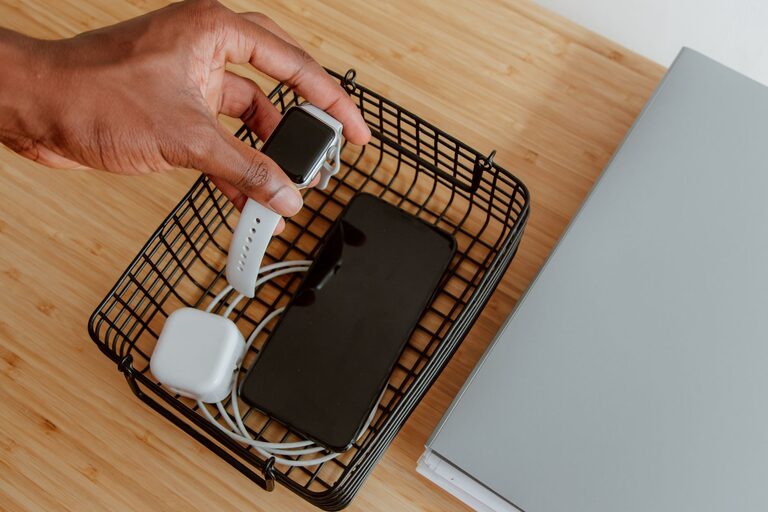
– Container or tray: Holds smaller accessories like earbuds or charging bricks.
With these supplies, you can customize your charging station to meet your specific device lineup.
Step-by-Step Setup Process
1. Declutter and Prepare the Area
Clear off your chosen surface completely. Cleaning the space ensures a fresh start and makes it easier to arrange cords and chargers.
2. Place Your Power Source
Plug in your multi-port charger or power strip near the outlet. Ideally, use a power strip with surge protection to keep devices safe from electrical spikes.
3. Arrange Charging Devices and Accessories
Set up charging docks or stands first. Position them to allow for easy viewing and access to screens and buttons.
4. Route and Manage Cables
Use cable clips or ties to group cables, preventing tangles and accidental unplugging. Route cables so they are short but not taut, avoiding strain on connectors.
5. Organize Smaller Items
Keep chargers, adapters, and smaller accessories in a container or drawer nearby to avoid losing them.
6. Test Your Station
Connect your devices one by one to ensure everything charges correctly and cables reach comfortably.
Tips for Maintaining Your Charging Station
– Regularly tidy cables: Unplug and rewind cables weekly to prevent damage.
– Label cables: Use tags or color codes for easy identification.
– Limit the number of chargers: Too many chargers can cause overheating or power issues. Stick to a quality multi-port charger.
– Keep devices ventilated: Avoid stacking devices directly on top of each other while charging.
Creative Ideas to Personalize Your Charging Station
A charging station doesn’t have to be purely functional — you can add style and convenience:
– Use a wooden or acrylic stand matching your decor.
– Add a small lamp or plant for ambiance.
– Incorporate wireless chargers for compatible devices.
– Use a magnetic charger or charging pad to reduce cable clutter.
Conclusion
Setting up a charging station can transform how you manage your devices. By choosing a good location, collecting the right materials, and keeping everything organized, you’ll save time, reduce mess, and keep your devices ready whenever you need them. Try these tips and make charging a simple, enjoyable part of your everyday routine.